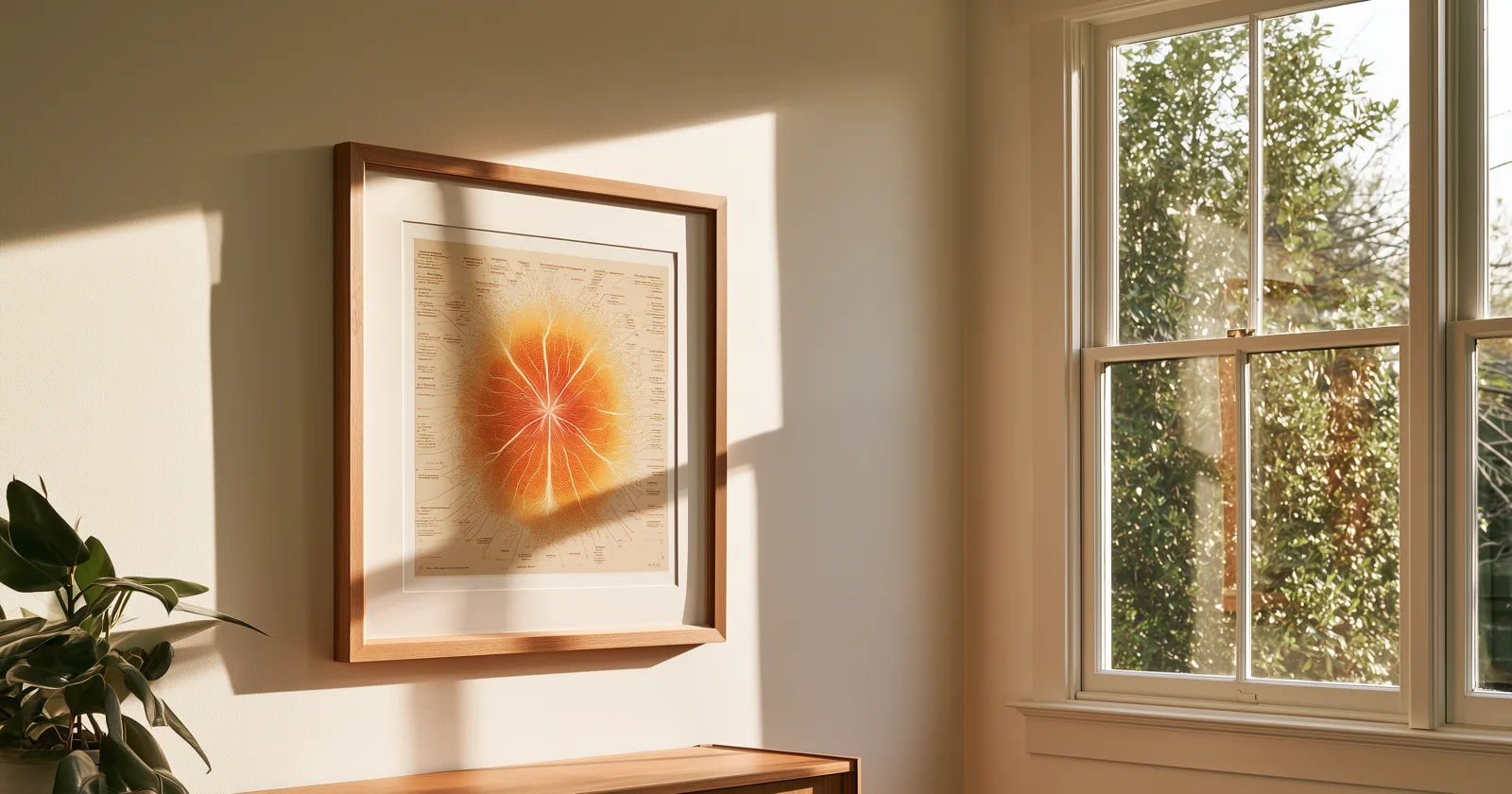
Most people who want a printed family tree get stopped at the same place: the file.
You can see the chart on your screen. You can't get it out at a size that prints without turning into a pixelated mess, and the export options are named things like "Chart Report (Wall)" with no indication of what dimensions come out the other end. So you either give up, or you pay a chart-printing service a few hundred dollars and wait for a tube to arrive.
Here's how to do it yourself, and what to watch for at each step.
Decide the shape before the size
A wall chart is a display object, not a research document. That changes what you should print.
The instinct is to print everything — every person, every date, every generation you've documented. Resist it. A wall chart that includes 400 people is a wall chart nobody reads, because the type has to shrink to fit and the whole thing becomes texture rather than information.
The charts that actually get looked at are ancestor charts, usually fan-shaped, at five to seven generations. That's between 62 and 254 people. It's a shape with a natural focal point, it fills a rectangle efficiently, and every name stays legible at arm's length. More on choosing between chart shapes.
If your goal is a reunion handout rather than a wall piece, that's a different job — a descendant chart, printed at letter size, stapled. Don't try to make one object do both.
Get the file out of your software
Every major program exports charts, though they bury the option differently.
- RootsMagic — Publish → Charts, pick your chart type, then Generate Report. Save as PDF for anything you'll print.
- Family Tree Maker — the Publish workspace, Charts collection. Export via Share → Export to PDF.
- Legacy Family Tree — Reports → Charts, then Save from the preview window.
- Gramps — Reports → Graphical Reports → Fan Chart or Ancestor Tree. It offers PDF and SVG. Take the SVG if you can; more on why below.
- Ancestry and MyHeritage — both offer chart printing from a tree view, though sizes are limited and there's often a watermark unless you're on a paid tier.
If your software only offers image export, choose the largest available dimensions, not the default.
PDF, PNG, or vector — this is the part that matters
Three formats, and the difference decides whether your print looks sharp or soft.
PNG (or JPG) is a grid of pixels. It has one true size. Print it larger than that size and the printer invents the missing detail, which shows up as fuzzy, slightly haloed text. Fine if the file is genuinely large; risky otherwise.
PDF is usually the safe middle. Text and lines inside a PDF are typically stored as instructions rather than pixels, so they stay crisp when scaled. Most print shops prefer PDF and most consumer printers handle it without complaint.
Vector — EPS or SVG is the one to take if it's offered. It has no fixed size at all. Every line and letter is math, so the same file prints identically at 11 inches or 40. If you're planning anything larger than about 24 inches wide, vector is what you want.
The rule of thumb for raster files: for a sharp print you want about 300 pixels per inch of finished size. A 24-inch-wide print therefore wants roughly 7,200 pixels of width. Large-format prints viewed from a few feet away can drop to 150 ppi without anyone noticing, which halves the requirement. Below about 100 ppi, everyone notices.
Size it to a frame you can actually buy
This is where most home-printed charts die. People produce a beautiful 32 × 22 inch chart and then discover that no such frame exists, and custom framing costs more than the printing did.
Design to standard sizes from the start:
| Frame size | Works for |
|---|---|
| 11 × 14 in | 4–5 generation single fan; desk or shelf |
| 16 × 20 in | 5–6 generations; hallway |
| 18 × 24 in | 6 generations comfortably |
| 24 × 36 in | 7–8 generations; the statement piece |
All four are stocked by every big-box craft and office retailer, and all four have off-the-shelf mats. Pick your frame first, then export the chart to fit it. It is far easier than the reverse.
Where to actually print it
Your own printer handles anything up to letter or legal. Fine for a reunion handout, not for a wall.
Local print shops and copy centers — the office-supply chains all do large-format on the same day, typically for a few tens of dollars per square foot depending on paper. Bring a PDF or vector file on a flash drive. Ask for matte, not gloss; gloss reflects room lighting and makes text hard to read at an angle.
Online poster printers are cheaper per square foot and give you more paper choices, at the cost of a few days' shipping. Watch for automatic upscaling — if the site accepts your file without warning you about resolution, verify the dimensions yourself.
Genealogy chart services will do the whole thing: design, print, ship in a tube. They're genuinely good, and if you want a ten-generation custom mural with every descendant included and a designer involved, they're worth every penny. For a fan chart in a standard frame, you're paying mostly for fulfillment.
Paper and finish
- Matte or satin, not gloss. A wall chart gets read from angles. Gloss fights that.
- Heavier stock reads as an object rather than a poster. Anything in the 200 gsm range and up feels substantial in a frame.
- Ask about archival or acid-free if you want it to last decades without yellowing. It's a small upcharge and it's the difference between an heirloom and a poster.
- Skip lamination if it's going behind glass. Two reflective layers is one too many.
Printing from Bright Branches
Since we build the display side of this, here's what our own print path does — and doesn't do.
You sign in on the web at brightbranches.com, pick a layout and a palette, and download the file. Seven layouts, all sized to standard frames: a double bow-tie fan covering five to seven generations, up to 36 × 24 inches, and a single half-fan covering five to eight generations, from 14 × 11 up to 24 × 36. PDF, PNG, or vector EPS.
Printing is included on every plan, including free FamilySearch members. Paid members can print in their own custom palette rather than the presets. There's no watermark, no per-print charge, and no limit on how many times you download the same chart.
What we deliberately don't do is fulfillment. There's no checkout, no shipping, no tube. The file is yours — print it at home, at the copy shop down the road, or at whichever online printer you already like. We're not better at printing and shipping paper than a print shop is, and pretending otherwise would just add margin and a week of waiting to something you can have tonight.
You also don't need a TV app to print. The print path lives entirely in the web viewer. The television is where the tree lives the rest of the time. More on that.
One thing worth doing before you print
Print at final size on plain paper first — tiled across several letter sheets if you have to, taped together on the kitchen table.
You will immediately see two things you can't see on a monitor: whether the names are actually readable from standing distance, and whether the generation count you chose is the right one. Almost everybody discovers they went one generation too far. It's a two-dollar test that saves a forty-dollar mistake.
Keep reading: